
SEO Audit Checklist: 15 Things to Fix on Your Website Today

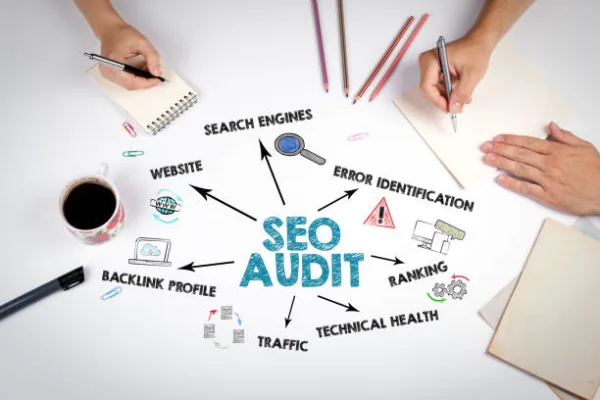
Most websites are leaving rankings on the table: quietly.
A page can look perfectly fine on the surface and still be weighed down by broken internal links, missing metadata, thin content, or technical issues. Google notices even when your visitors don't. The only way to find out what's actually holding you back is to audit the site properly.
This is a 15-point checklist of the higher-impact things to look at. Work through them in order if you can. The technical items sit underneath everything else, so fixing them first tends to make the rest of the work pay off more.
What Is an SEO Audit?
An SEO audit is a structured walk-through of how well your site is set up for search. It looks at the technical side of things and the quality of your content. It also considers how strong your backlink profile is, and the experience people get when they land on a page.
The point of an audit isn't just to find problems. That's the easy part. The harder, more valuable part is working out which fixes will actually shift the needle on traffic and rankings. That way you're not wasting time on cosmetic issues. A decent audit hands you a prioritised action plan, not a pile of warnings.
The Tools You Actually Need
You don't need a $500/month stack to run a useful audit. Most of the heavy lifting can be done with free tools: the paid ones mostly make it faster and add competitor data.
| Tool | What It's Best For | Cost |
|---|---|---|
| Google Search Console | Crawl errors, Core Web Vitals, index coverage, backlinks | Free |
| PageSpeed Insights | Page-speed diagnostics and Core Web Vitals per URL | Free |
| Screaming Frog (free tier) | Crawling up to 500 URLs: broken links, titles, meta | Free |
| Ahrefs / SEMrush | Deep backlink data, competitor gaps, site-wide issues | Paid |
| Moz Pro | Domain Authority tracking, on-page grader, rank tracking | Paid |
Technical SEO Checks (Items 1–5)
Technical SEO is the plumbing: the stuff that decides whether search engines can crawl, index, and render your pages. If this layer is broken, even great content won't rank.
1 Check your crawlability
Open Google Search Console and go to the Coverage report. Look for pages marked "Excluded," "Error," or "Valid with warnings." Crawl errors, rogue noindex tags on important pages, and blocked resources in your robots.txt file can all prevent Google from seeing content that would otherwise rank.
2 Verify your HTTPS status
Every page on your site should load over HTTPS. If any pages still load on HTTP, or if your SSL certificate has expired, browsers will warn visitors and Google will deprioritise your pages. Check the certificate expiry and make sure all HTTP URLs 301-redirect to their HTTPS equivalents.
3 Fix broken links
Crawl the site with Screaming Frog or Ahrefs and flag every 404. Broken internal links waste crawl budget and create a poor user experience. Redirect each broken URL to the most relevant live page with a 301.
4 Check page speed
Run your key pages through Google PageSpeed Insights and aim for a mobile score above 90. Common speed killers: unoptimised images, render-blocking scripts, too many third-party plugins, no browser caching. Page speed is a confirmed ranking factor on desktop and mobile.
5 Review your XML sitemap
Make sure you have a valid XML sitemap submitted in Search Console, and that it only includes canonical, indexable URLs. Prune anything that returns an error, is noindexed, or has been redirected. A messy sitemap wastes Google's crawl budget on URLs that will never rank.
On-Page SEO Checks (Items 6–10)
On-page SEO is the work you do at the page level: title tags, meta descriptions, headings, internal links, and how the content is structured. It's everything that tells Google what a specific page is actually about.
6 Audit your title tags
Every page should have a unique, descriptive title tag that includes its primary keyword. Aim for 50–60 characters. Duplicate or missing titles are a common audit finding and one of the easiest to fix.
7 Review meta descriptions
Meta descriptions aren't a direct ranking factor, but they drive click-through from the search results page. Write unique, 150–160 character descriptions that actually give someone a reason to click, not keyword soup. Our meta description character counter shows the live count so you never run over the limit.
8 Check heading structure
One H1 per page, matching the page's primary topic. H2s and H3s for structure. Don't skip heading levels and don't use multiple H1s: screen readers and Google both expect the hierarchy to make sense.
9 Optimise image alt text
Every image needs descriptive alt text. It tells search engines what the image contains, and it's the fallback text when an image fails to load. Don't leave it as "image1.jpg" and don't stuff it with keywords.
10 Fix duplicate content
Duplicate content happens when the same or very similar content appears on multiple URLs. Use canonical tags to point Google to the preferred version. Watch for www vs non-www, trailing slash vs no trailing slash, and paginated archives creating duplicates.
Thin and outdated pages don't just fail to rank: they quietly drag the rankings of your strong pages down with them. Pruning is as important as publishing.
Content Quality Checks (Items 11–12)
Google's core algorithm leans harder on content that shows Experience, Expertise, Authoritativeness, and Trustworthiness (E-E-A-T). Thin or outdated pages can quietly drag the rankings of your whole site down.
11 Identify thin content pages
Pages under 300 words, near-duplicates of other pages, or pages that add no unique value are flagged as thin content. Expand them, merge them with similar pages, or remove and redirect. A well-structured content plan keeps this from recurring.
12 Update outdated content
Content with old statistics, discontinued products, or superseded advice sends a negative freshness signal. Review your top-traffic pages annually and update anything that's no longer accurate. Refreshing old content with current data is one of the fastest ways to recover declining rankings.
Link Profile Checks (Items 13–14)
Your backlink profile (the set of external sites linking to yours) is still one of the most powerful signals in Google's algorithm. Quality links matter. So does not being dragged down by toxic ones.
13 Review your backlink profile
Use Ahrefs or Search Console's Links report to see who's linking to you. Look for patterns: are the links from relevant, authoritative sources, or from low-quality directories and unrelated sites? Feed this into your ongoing strategy, including local citation building and blogger outreach.
14 Disavow toxic backlinks
If your site has a history of spammy link building, or if you've received a manual penalty, you may need to disavow toxic links. Do this via Search Console, and only disavow links you're certain are harmful.
User Experience Check (Item 15)
Core Web Vitals measure loading speed, interactivity, and visual stability. They're an official ranking factor, and poor scores quietly hold back pages that are otherwise well-optimised.
15 Review Core Web Vitals
In Search Console, go to Experience → Core Web Vitals. Look for pages flagged as "Poor" or "Needs improvement." The three metrics to focus on:
- LCP (Largest Contentful Paint): loading speed. Target: under 2.5s.
- INP (Interaction to Next Paint): responsiveness. Target: under 200ms.
- CLS (Cumulative Layout Shift): visual stability. Target: under 0.1.
Start with pages that rank in positions 4–15: a bump in Core Web Vitals can be enough to push borderline pages onto page one.
A Bonus Check Most Checklists Skip: Server Location & Geo-Targeting
Most SEO audit checklists are written for a US audience and never mention this. But it matters a lot for Australian businesses: where your site is actually hosted.
A huge share of Australian small business sites are hosted on US or Singapore servers by default. That's usually just what the platform or agency defaulted to.
The result is added round-trip latency for every Australian visitor. That's often an extra 150–250ms on Time to First Byte before the page even starts rendering. It drags down your LCP score, and by extension, item 15 on this checklist.
Check your TTFB from an Australian location. PageSpeed Insights tests from the nearest Google data centre, which isn't always AU. Consider a CDN or an AU/Sydney-region host if you're seeing consistently slow TTFB from local visitors.
Second, if your business also serves other English-speaking markets, check Search Console → Settings → International Targeting. Or make sure your hreflang tags are correctly set if you run separate country pages.
Without explicit geo-targeting, Google decides for itself which country to rank you in. It doesn't always guess right, especially for newer domains with a thin backlink profile.
What to Do After Your Audit
At the end of an audit you'll usually be sitting on a list that ranges from quick wins to genuinely annoying technical work. Sort by likely ranking impact × effort. A workable order of operations:
- Fix critical technical errors first. Crawl errors, HTTPS issues, and broken redirects gate indexing: nothing else matters until these are clean.
- Then address on-page optimisation. Missing title tags, duplicate content, thin pages. Generally low-effort with high impact.
- Build content and links systematically. Use a content plan to schedule new pages and refreshes, paired with ongoing link building to grow domain authority.
- Re-audit every quarter. SEO is not a one-time task. New issues emerge as the site grows, Google's algorithm evolves, and competitors move.
Short on time? You can get a free SEO audit from a real specialist instead. It's a 20-page report with a prioritised 30/60/90-day plan, delivered within 48 hours, no card and no sales call required.
Frequently Asked Questions
How long does an SEO audit take?
A thorough audit on a 50-page site takes 6–10 hours; larger sites scale with content volume. You can run a high-level version in 60–90 minutes using just Search Console and PageSpeed Insights.
How often should I audit my site?
Quarterly for sites under active SEO work, and any time you see a sudden ranking or traffic drop. A full annual audit is the minimum.
Can I do an SEO audit without paid tools?
Yes. Google Search Console, PageSpeed Insights, and the free tier of Screaming Frog cover most of what you need. Paid tools speed things up and add competitor data, but they're not essential for a first pass.
Should I fix everything the audit finds?
No. Most audits surface more findings than you'll realistically act on. Fix the top 20% that'll drive 80% of the improvement, usually the technical and on-page items. Leave the rest for the next quarter.
How long until I see results?
Technical fixes can shift rankings within 2–4 weeks. Content and link-profile improvements take longer: 2–3 months is a realistic window for meaningful organic-traffic growth.
Wrapping Up
An SEO audit is one of the better returns you can get on time spent improving your site. Most businesses are quietly sitting on a pile of fixable issues that are suppressing their rankings. Working through even part of this checklist can show real results inside 30–60 days.
Start with the technical foundations, move into on-page work, and then get stuck into content quality and your link profile. Measure, fix, re-audit.
Rather have it done for you? Get SEO, web, content, branding and marketing as one teamexplore Growth Partner plans from $750/mo.

Technical SEO: The Complete Guide for 2026

Local SEO: How to Rank Your Business in Google Maps

How to Do Keyword Research That Drives Traffic
